Compliance software for scaffolding contractors

Compliance that runs itself.

One incident. One question:
can you prove you covered your duties?
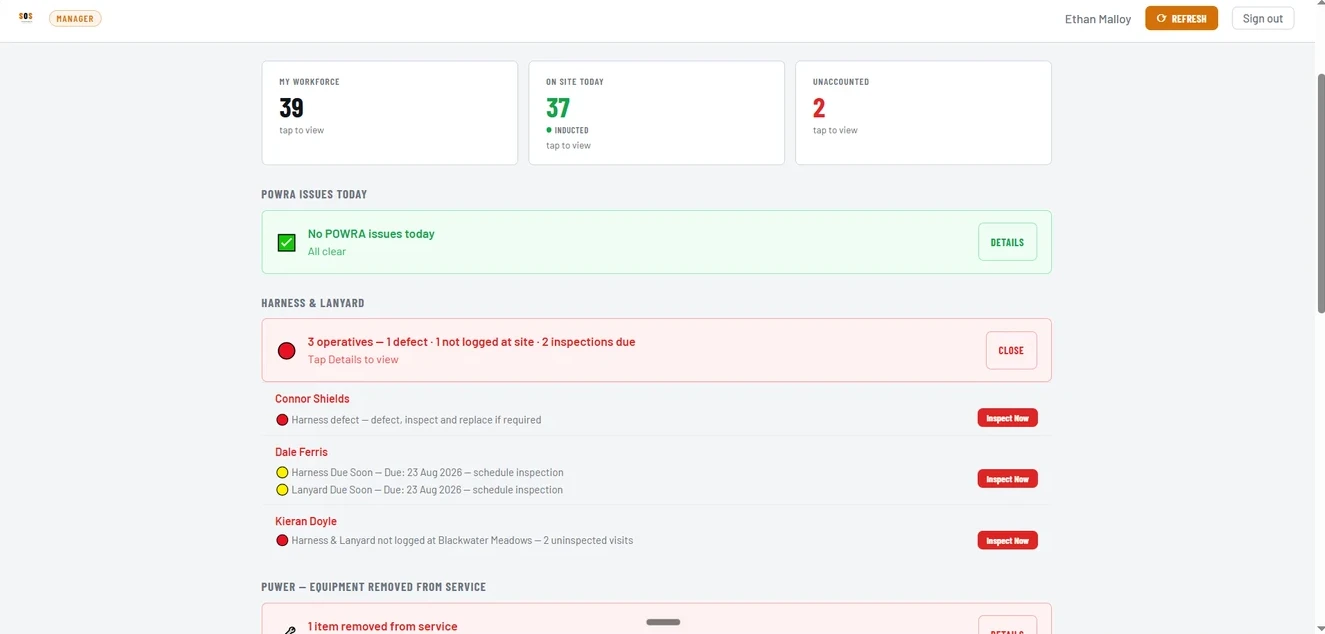
SOS manager dashboard showing live workforce status and compliance flags

Screens show sample data.

Every site, one screen — the moment you open it.

  • Every check filled in on the phone at the point of work, with photos attached.
  • Your whole workforce at a glance: who's on site, who has an issue to resolve, who's unaccounted for.
  • Failed PUWER checks and overdue harness inspections flagged on your dashboard.
  • Every document stored and visible in one place.
The Forms

One platform, dynamic forms that work for you.

Your whole daily routine, in one app. Harness inspections that tell you when it's time to inspect. POWRA forms that tell you when there's an issue.

Swipe to see each form →

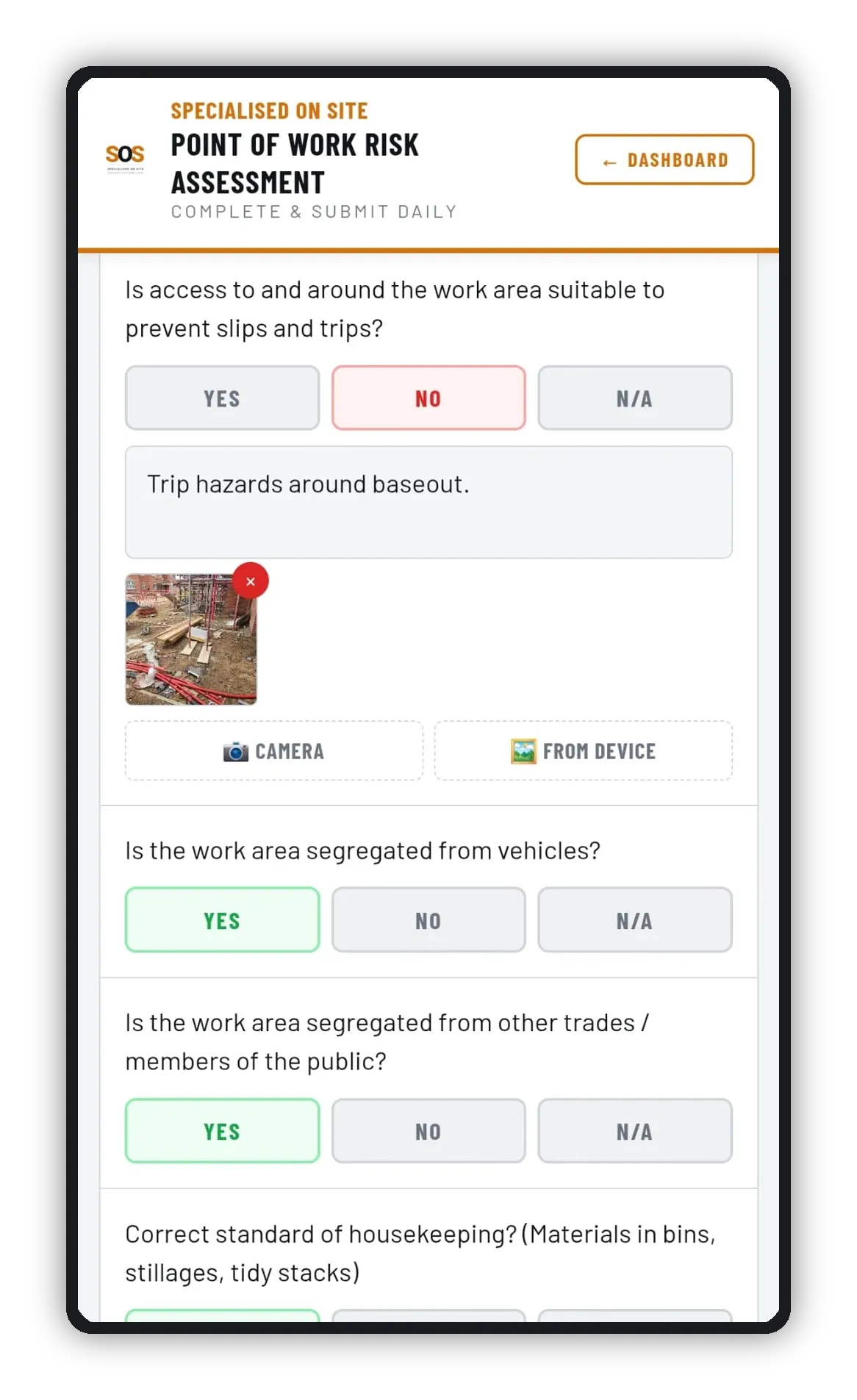
Point of work risk assessment on a phone
POWRACompleted daily, on site, before work starts. Works with no signal: saved on the phone, ready to send when you're back in coverage.
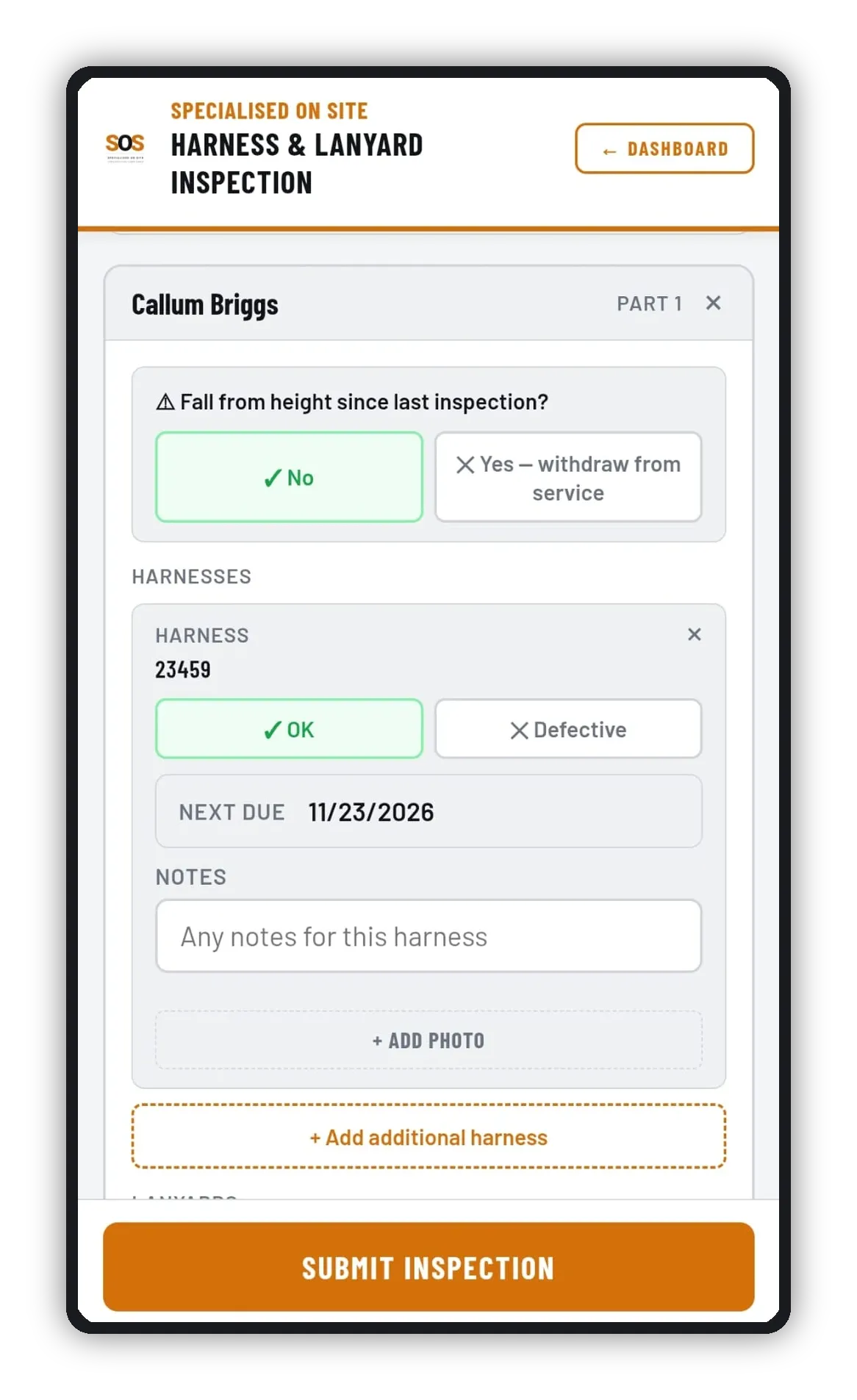
Harness and lanyard inspection on a phone
Harness & Lanyard InspectionLogged per operative, due dates tracked and flagged automatically.
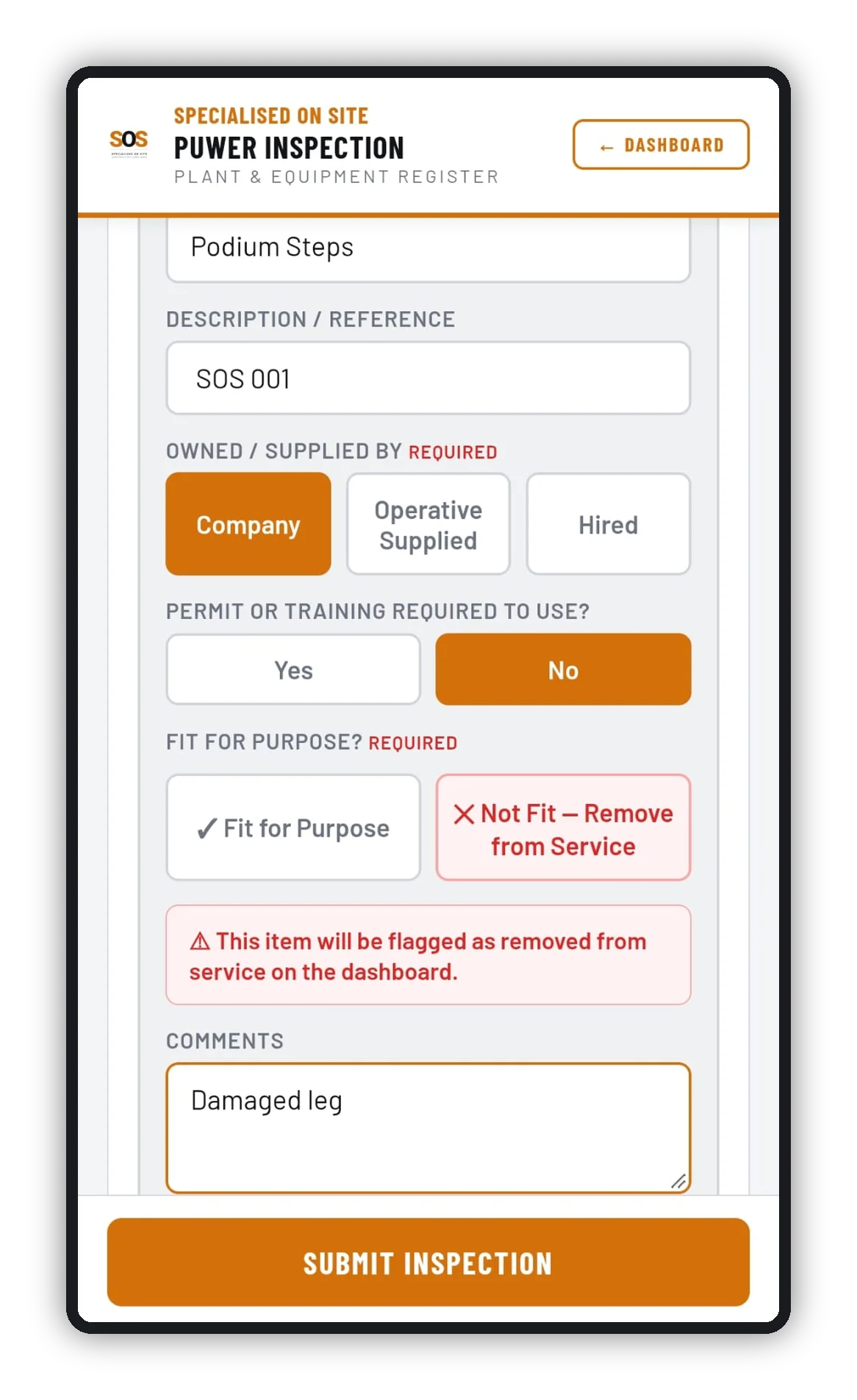
PUWER equipment inspection on a phone, marking podium steps not fit and removing them from service
PUWER InspectionWork equipment checked, and pulled from service the moment it fails.
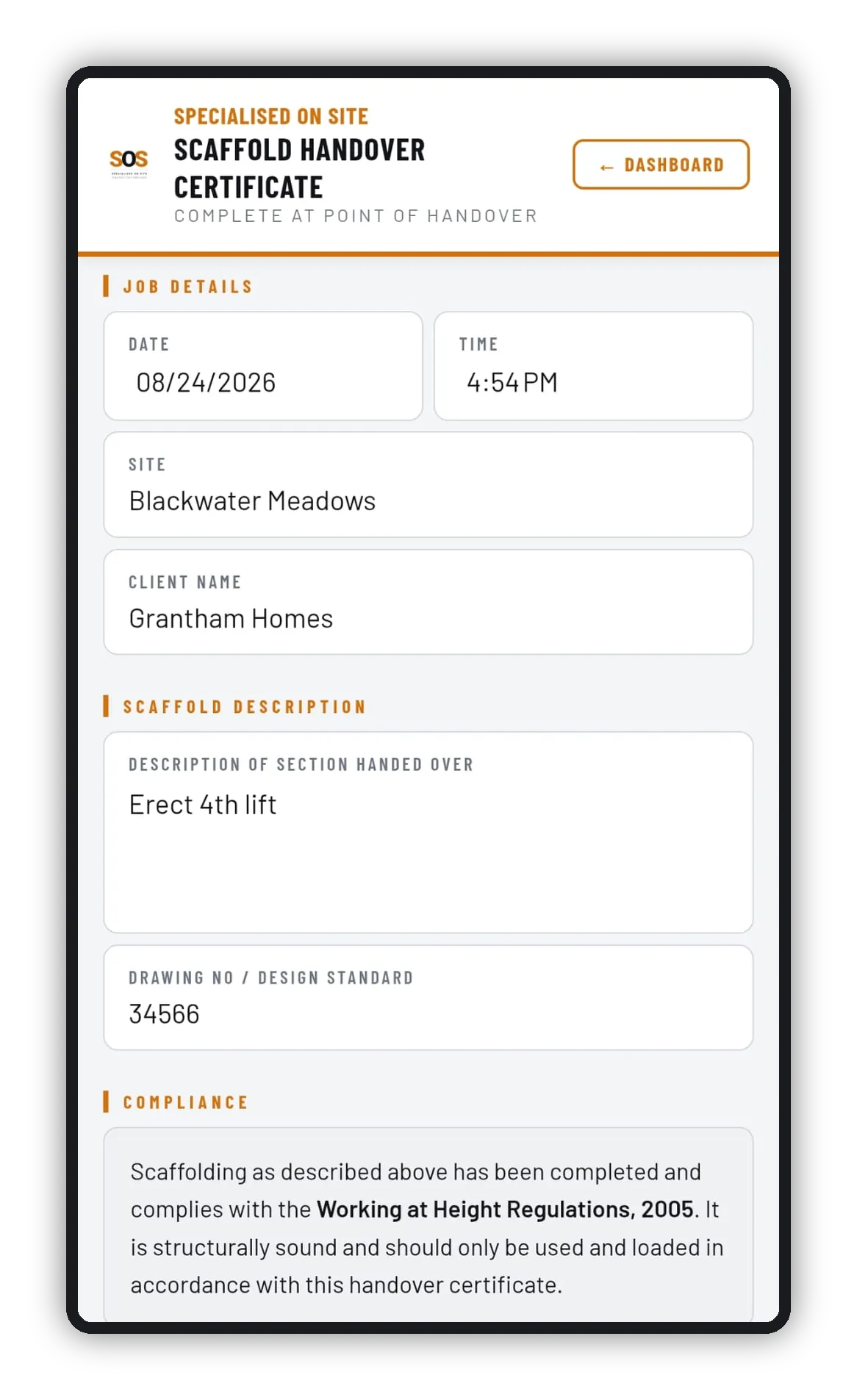
Scaffold handover certificate being completed on a phone
Scaffold Handover CertificateSigned proof the job's been inspected and complies with the regulations. Can be signed on site by both parties, with photos attached. Works with no signal.
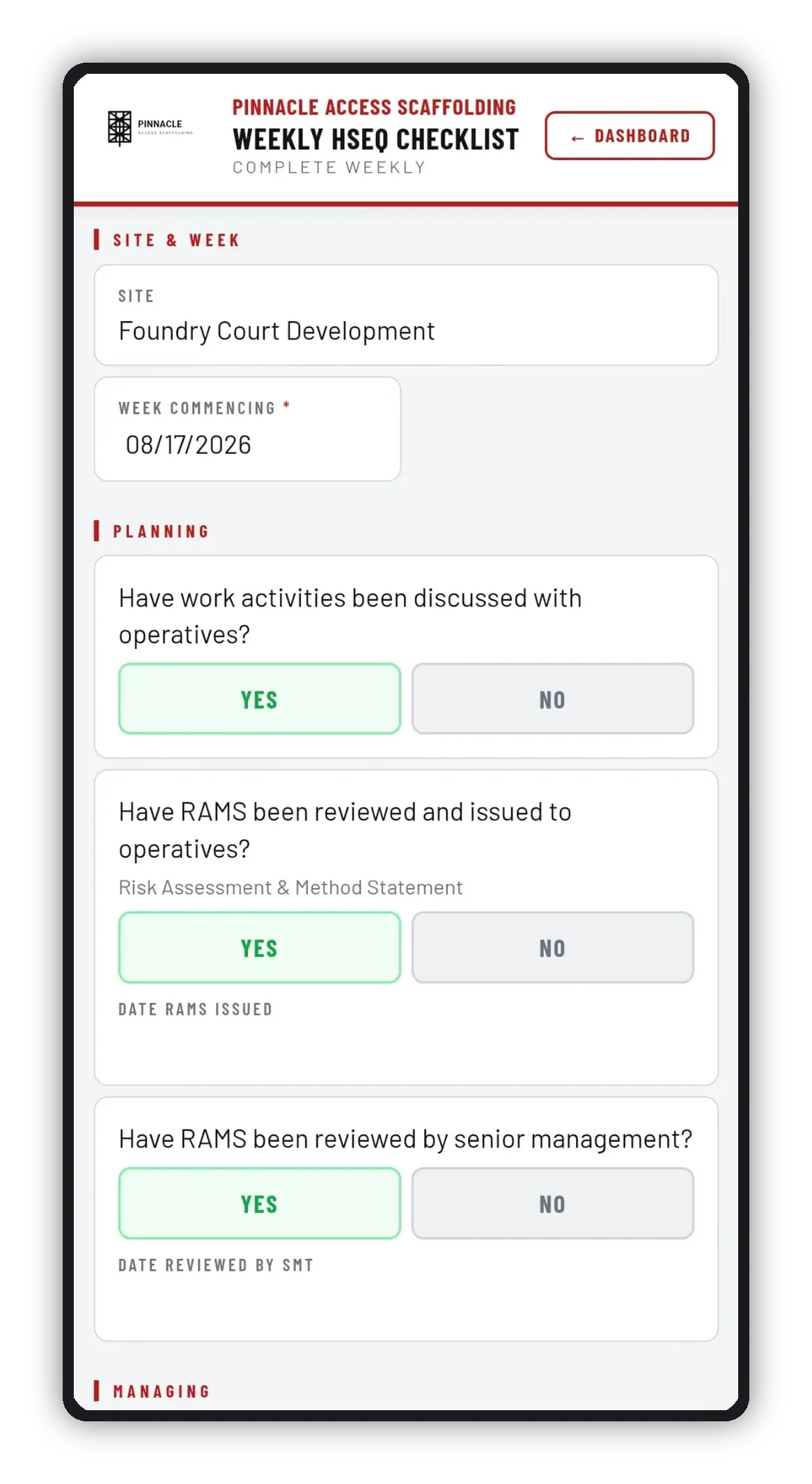
Weekly HSEQ checklist on a phone
Weekly HSEQ ChecklistThe site-wide safety and housekeeping walk-round, on record every week. Pulls in that week's handover, harness, PUWER and POWRA records as evidence.
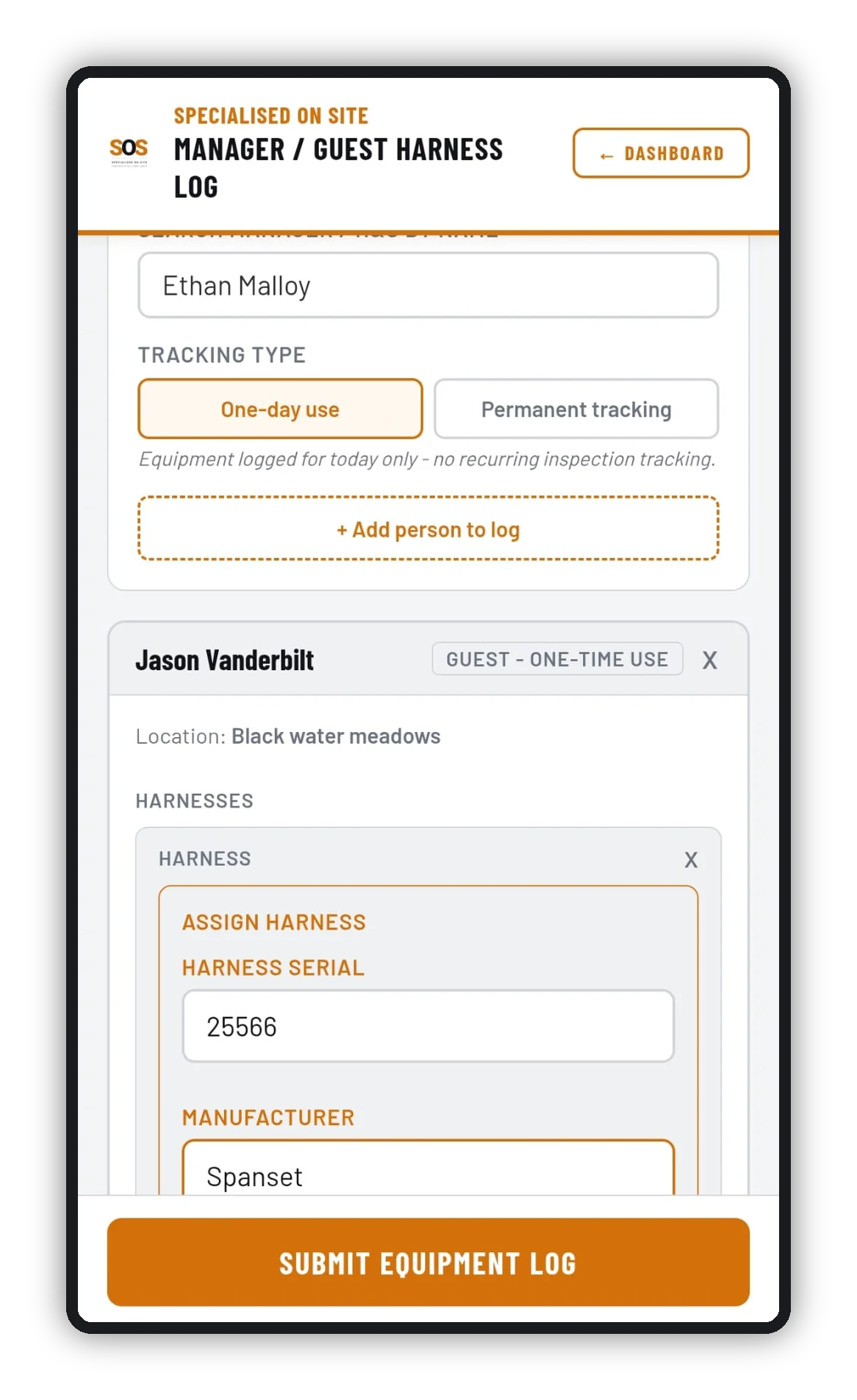
Manager and guest harness log on a phone
Manager / Guest Harness LogHarnesses held by managers and H&S, or issued to a client or visitor you're taking on site. Log a single day's use or keep a permanent record, separate from your operatives' equipment.

Every form feeds the same record, automatically.

From Site To PDF

Filled in live, on site.

Not on a paper form that doesn't get looked at until the job's done. Photo evidence attached on the spot and time-stamped the moment it's submitted — geotagged too, where the phone allows. Not typed up later back in the site cabin.

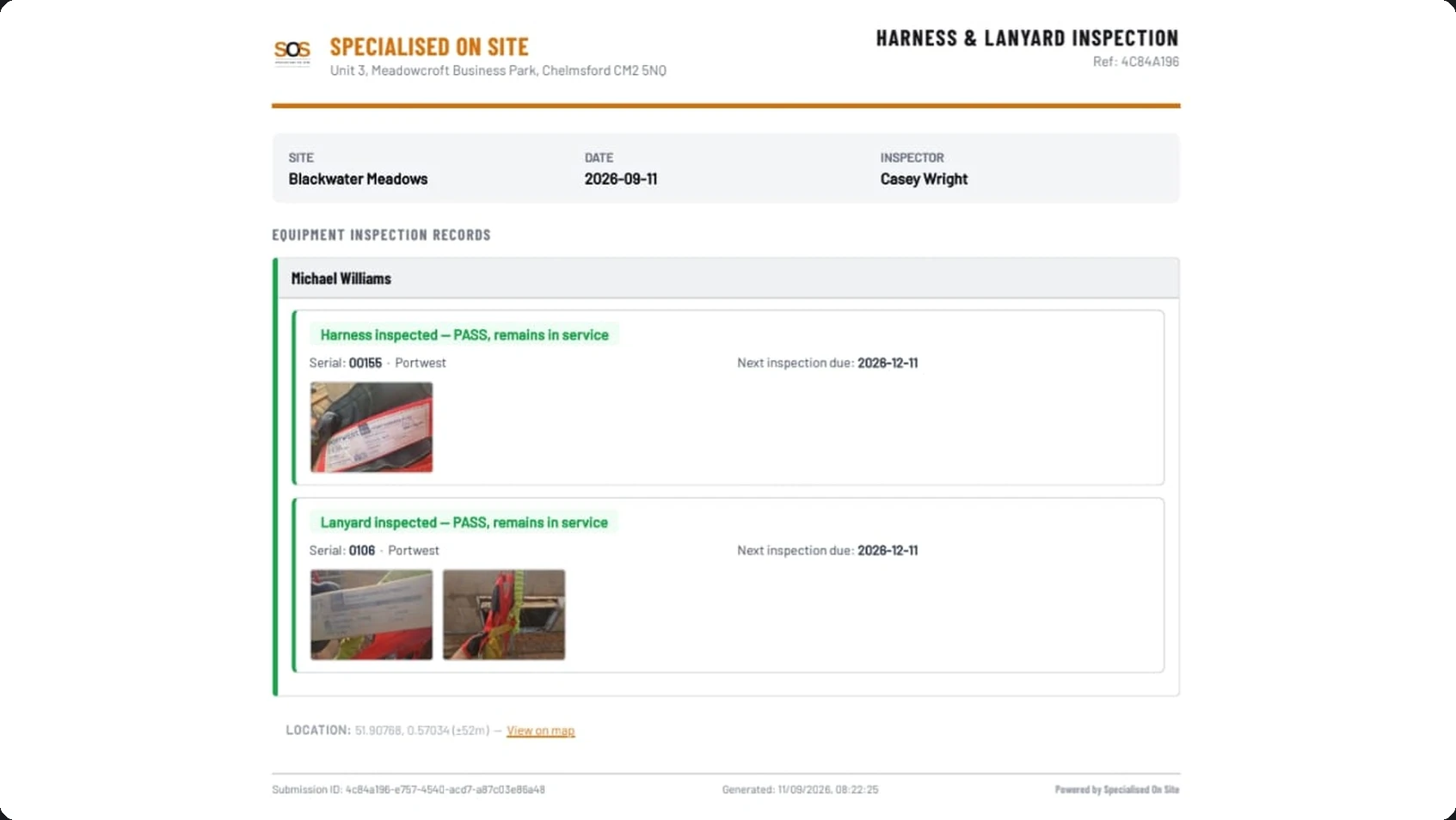
Harness and lanyard inspection PDF with pass results, serial numbers, photos, next inspection dates and location

Harness & lanyard inspection

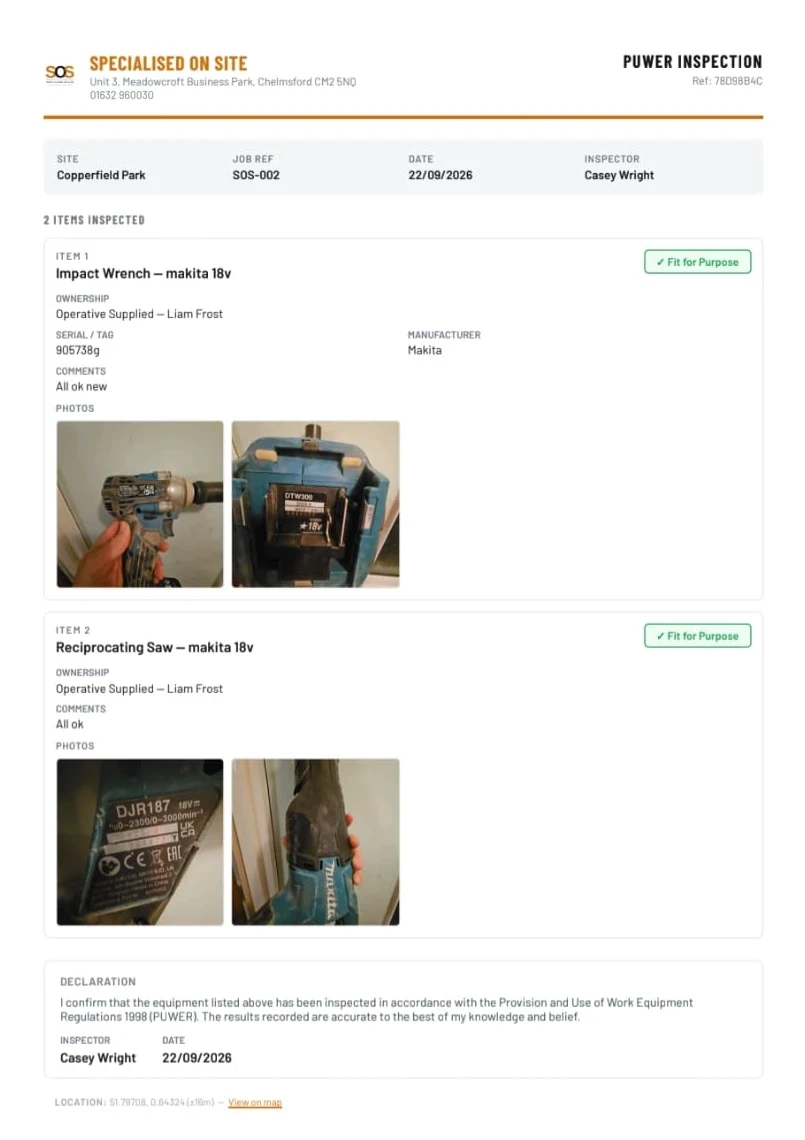
PUWER inspection PDF listing two power tools, each fit for purpose, with photos and a signed declaration

PUWER inspection

One-Minute Video

See it in motion.

Manager Dashboard

Track your team, and fix issues before they become problems.

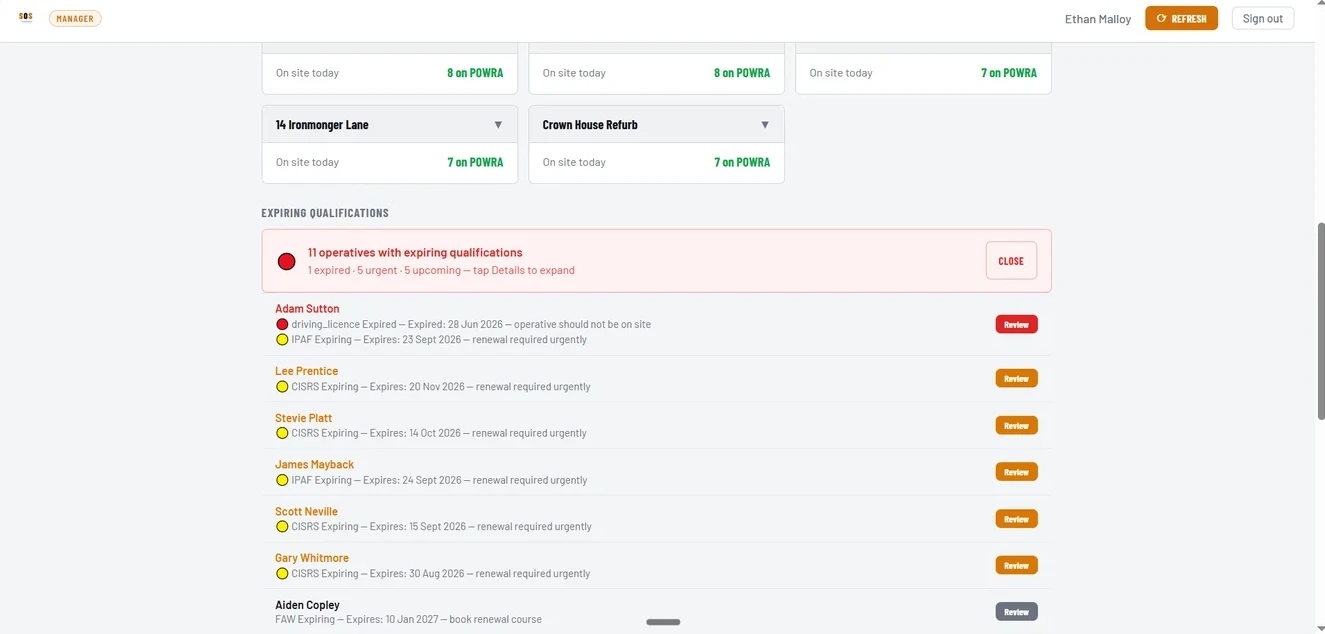
Every operative, every site, up to date whenever you open it — harness defects, overdue inspections and expiring qualifications flagged on one screen. Log a renewal course once it's booked, and track it through to the result.

SOS manager dashboard showing site cards with operatives on POWRA today, and expiring qualifications with renewal bookings logged
Beyond The Forms

The rest of the job, handled.

Sent to the right people.

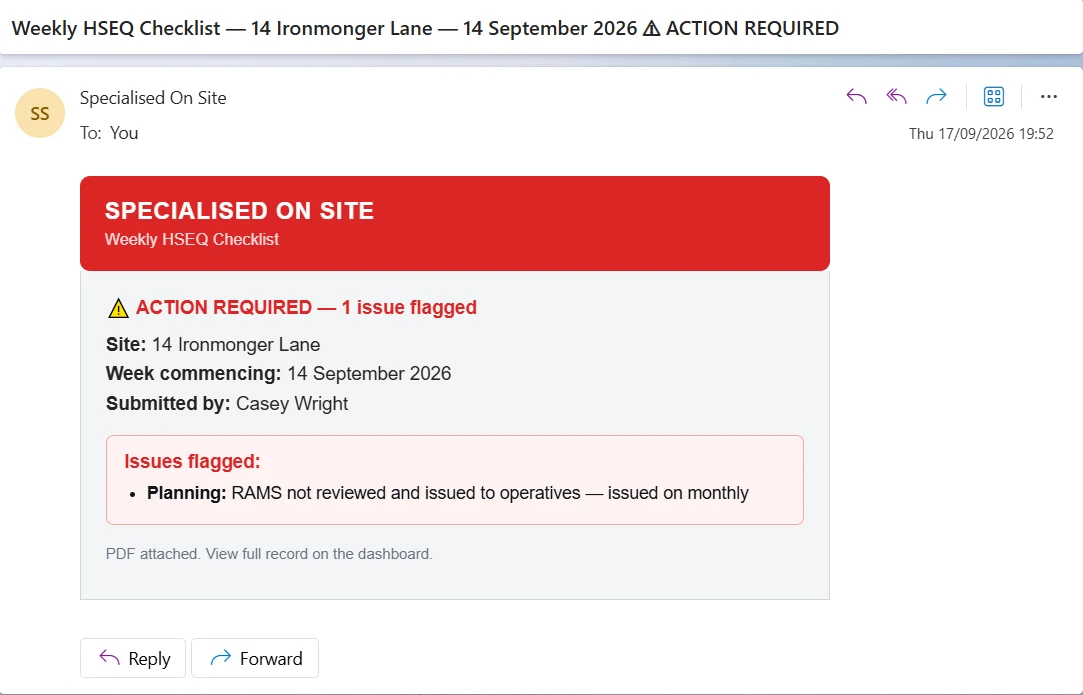
Flagged POWRAs, failed equipment checks and defects are emailed to your team as they happen, and chased if a POWRA flag stays unresolved. Handover certificates and weekly HSEQ reports go straight to the site contacts you choose, such as the principal contractor. On private jobs, send the handover certificate to the customer by WhatsApp.

Email alert for a weekly HSEQ checklist with one issue flagged and the PDF attached
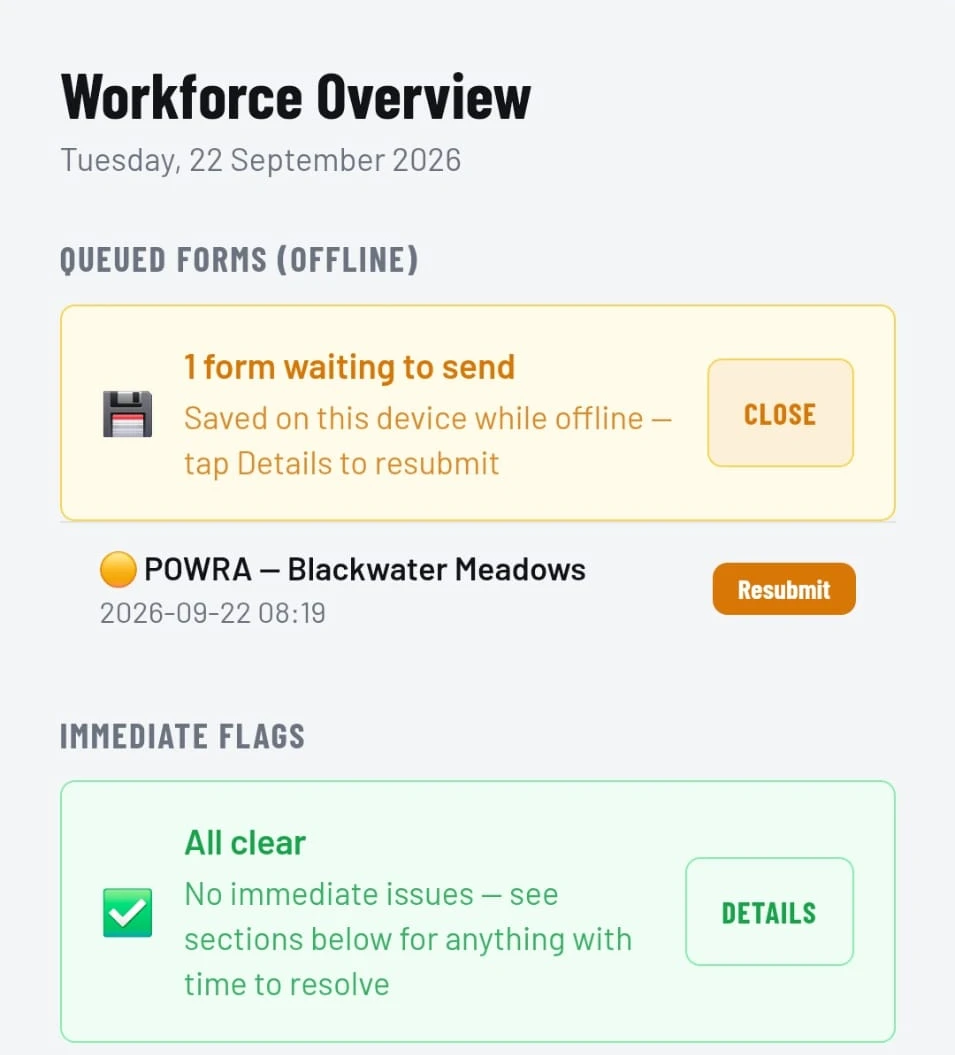
Dashboard showing a POWRA saved on the phone while offline, with a Resubmit button

No signal? It still gets done.

POWRAs and handover certificates save on the phone when there's no coverage. Queued forms show on your dashboard, ready to send with one tap when you're back in signal.

Qualification tracking

CISRS, SSSTS, SMSTS, MEWP and plant tickets, and any other qualification you add, tracked for every operative.

Documents for your principal contractor

Give a named site contact read-only access to that site's completed documents. No login to set up, and you can switch it off at any time.

Run your own team

Invite users, set roles, assign supervisors to sites and arrange holiday cover yourself, from the Admin section.

Other works

Working on a job that isn't a set-up site? Record it as other works and it still appears on your dashboard and in your records.

Your data stays yours

You own everything you record, and it stays on the system for as long as you're a customer. Hosted in the UK and Germany (email delivery uses a US provider under UK-approved safeguards), and SOS is registered with the ICO. If you leave, we'll export it on request, PDFs included, for 30 days after.

Emergency Information

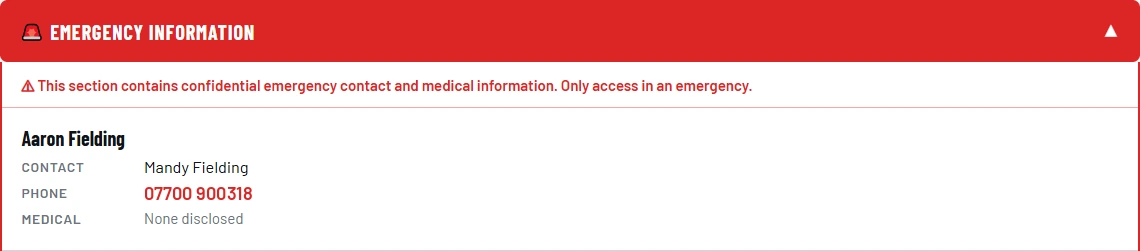
Emergency information, one tap away.

Everyone's emergency contact on your dashboard, with the number ready to call in one tap. Managers see their whole workforce; supervisors see everyone signed on to their site today.

Emergency information panel showing an operative's emergency contact, phone number and medical status
Your Branding

Your name on everything.

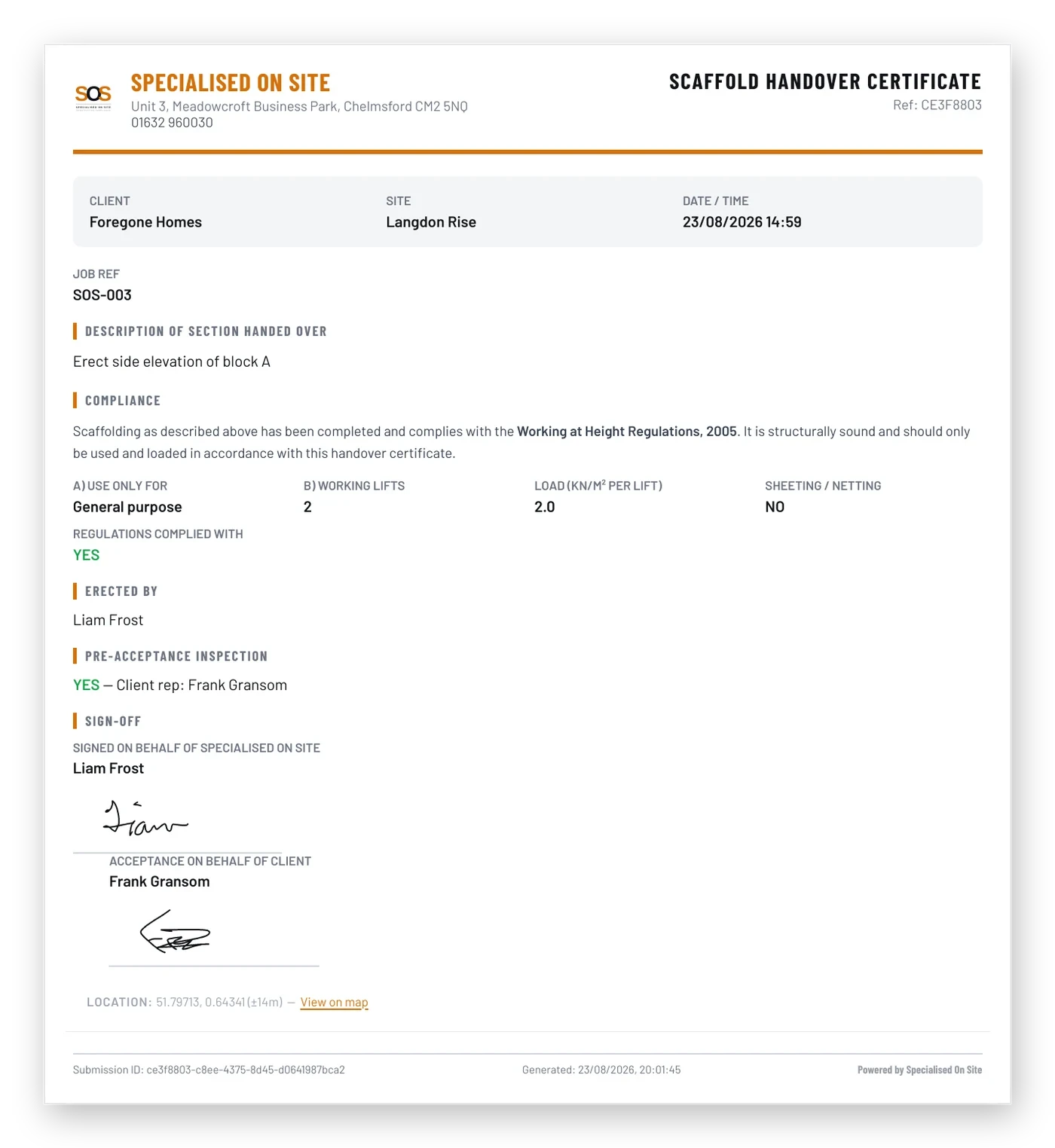
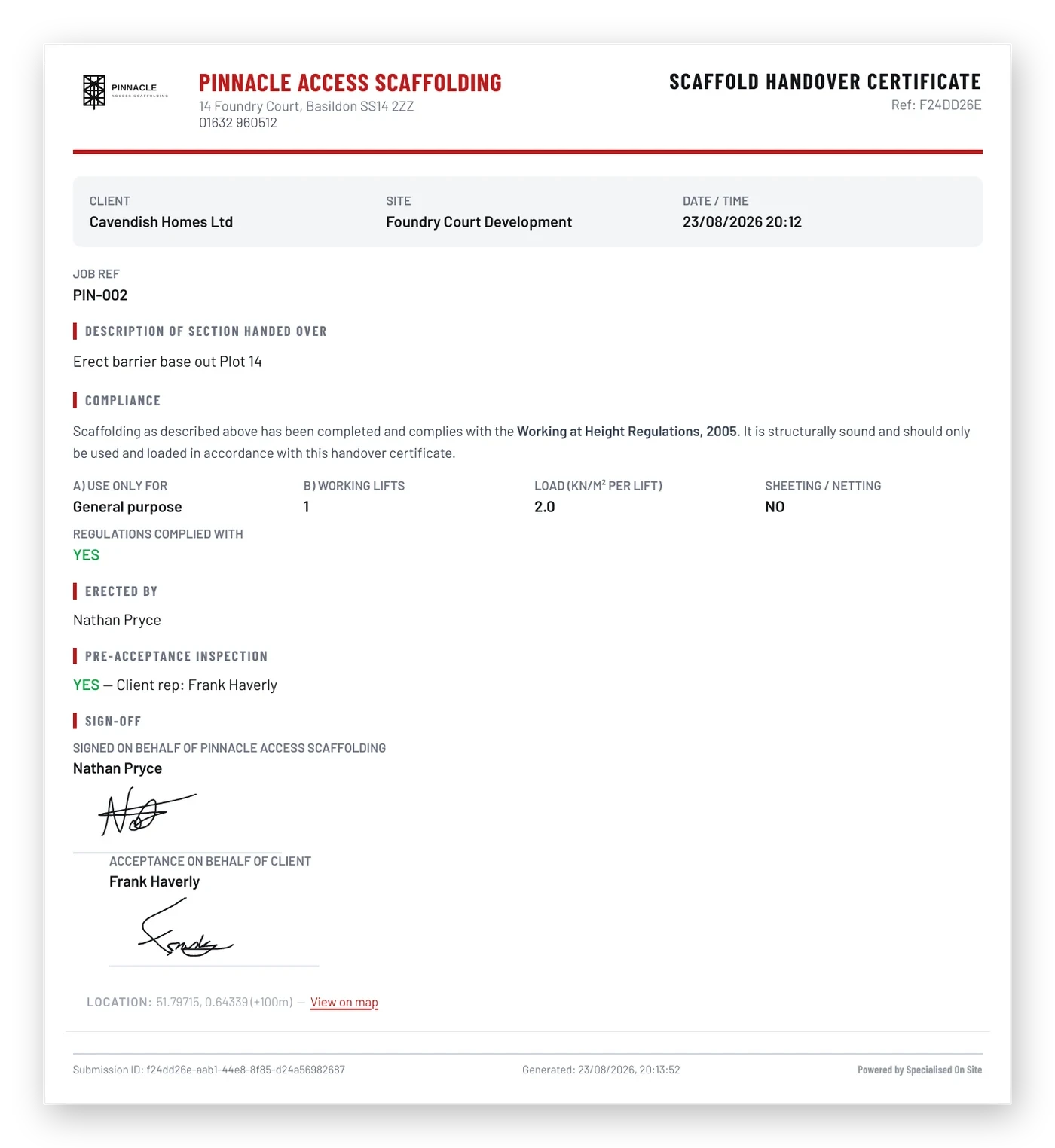
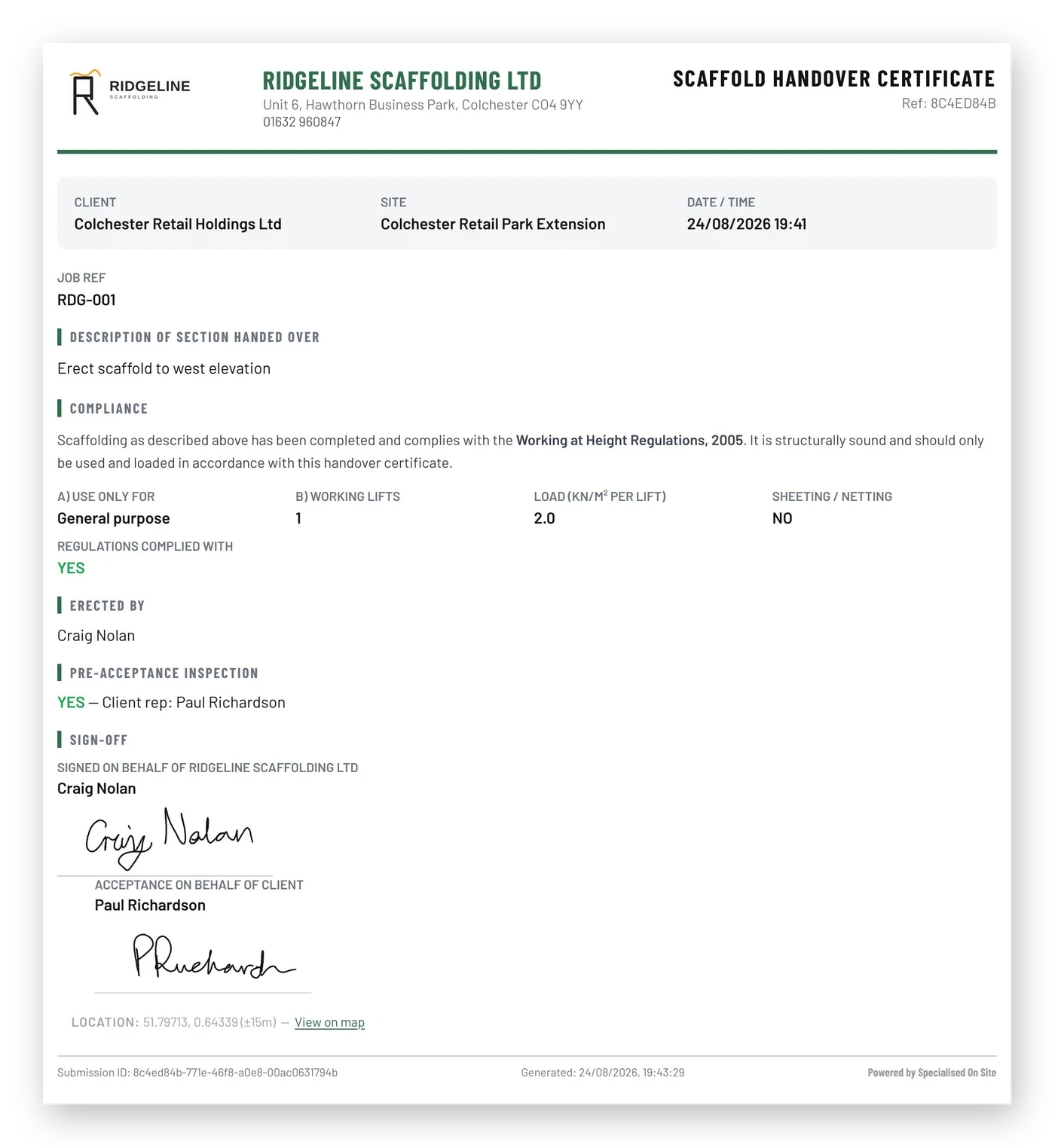
Your logo, colours and address on every PDF. The same handover certificate for three different companies.

Scaffold handover certificate branded for Specialised On Site, in orange
Scaffold handover certificate branded for Pinnacle Access Scaffolding, in red
Scaffold handover certificate branded for Ridgeline Scaffolding Ltd, in green
Audit Pack

Your compliance records, in one PDF.

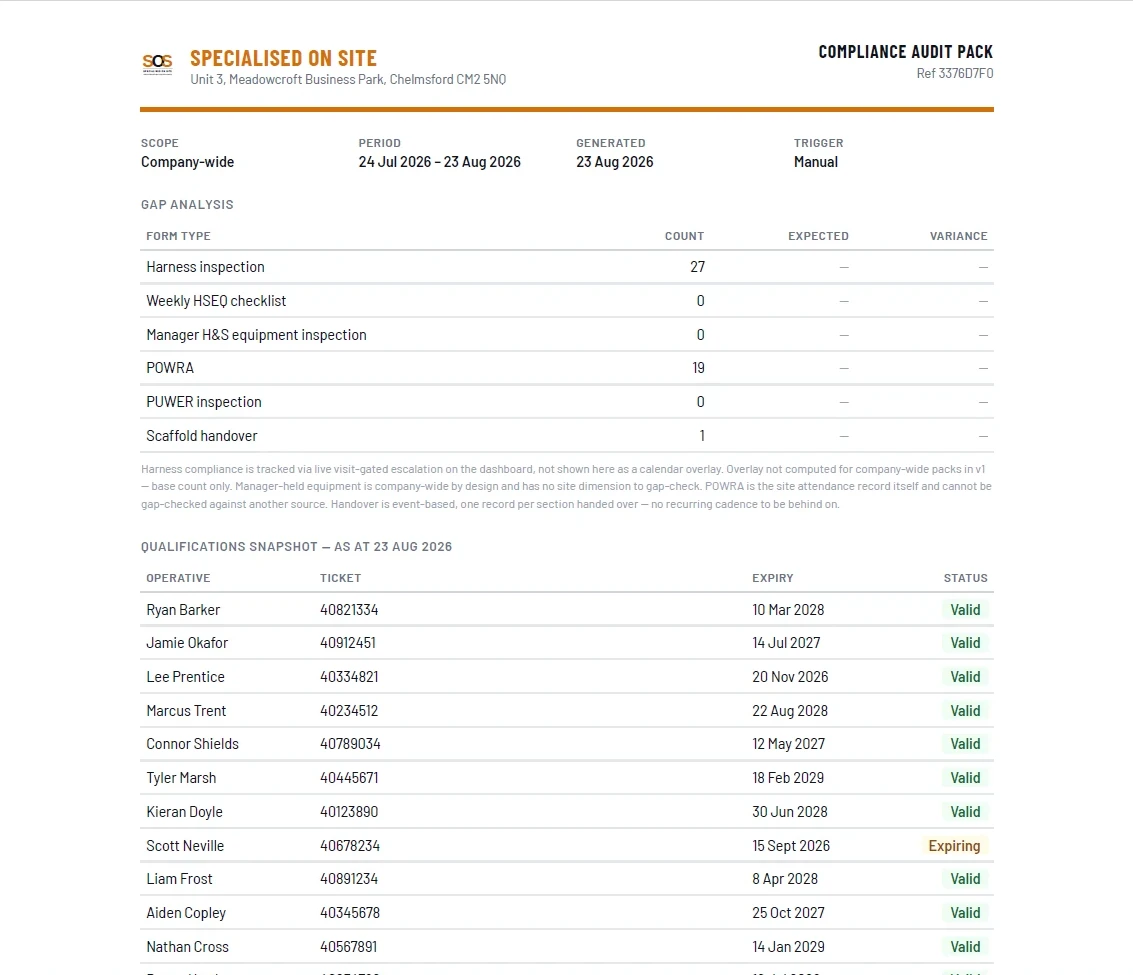
One button compiles your compliance records for any site, company-wide and/or date range into a single PDF, ready to hand to your principal contractor or wherever you need it. Commercial tier and above.

SOS compliance audit pack cover sheet showing document counts by form type and a qualifications snapshot
Getting Started

Up and running in three steps.

No app store and no passwords. Everyone signs in with a secure link emailed to them and lands on the screen built for their role. Add it to your phone's home screen and it opens like an app.

1

Sign in

A secure link is emailed to each person, so there are no passwords to lose. Managers, H&S and supervisors each get their own dashboard.

2

Register your operatives once

CISRS card, employment status, emergency contact, harness and lanyard details, recorded once. Every form then links back to the right person.

3

Add your sites

Create sites as you win them. New sites come with sensible inspection schedules you can change per site.

Get In Touch

Want a live walkthrough before you decide anything?

Tell us a bit about your business and we'll get back to you — no generic sales deck, just a straight conversation about what SOS would replace for you.

Built by a working scaffolder — 25 years in the trade.

We'll use your details only to reply to your enquiry. See our Privacy Policy.

We'll reply directly.